Home / Membership / The Family Tree
A Morning Post members' tool · family tree maker

A family tree maker that keeps the stories, not just the dates.

Build your family one person at a time — parents, partners, children, step and adopted relations all handled properly — and write down the memories beside them before they wander off. Private to your family, printable for the wall, and yours to download in a format any family-history program can open.

Private to your householdPrint the whole tree on one pageExport it any time
See what membership includes →$79 a year · covers the household · 60-day money-back guarantee
The Family Tree showing three generations of one family, with Margaret Hale in focus
See it working

The tree, the memories, the printed chart.

Real screens from the tool, built around an invented Bendigo family.

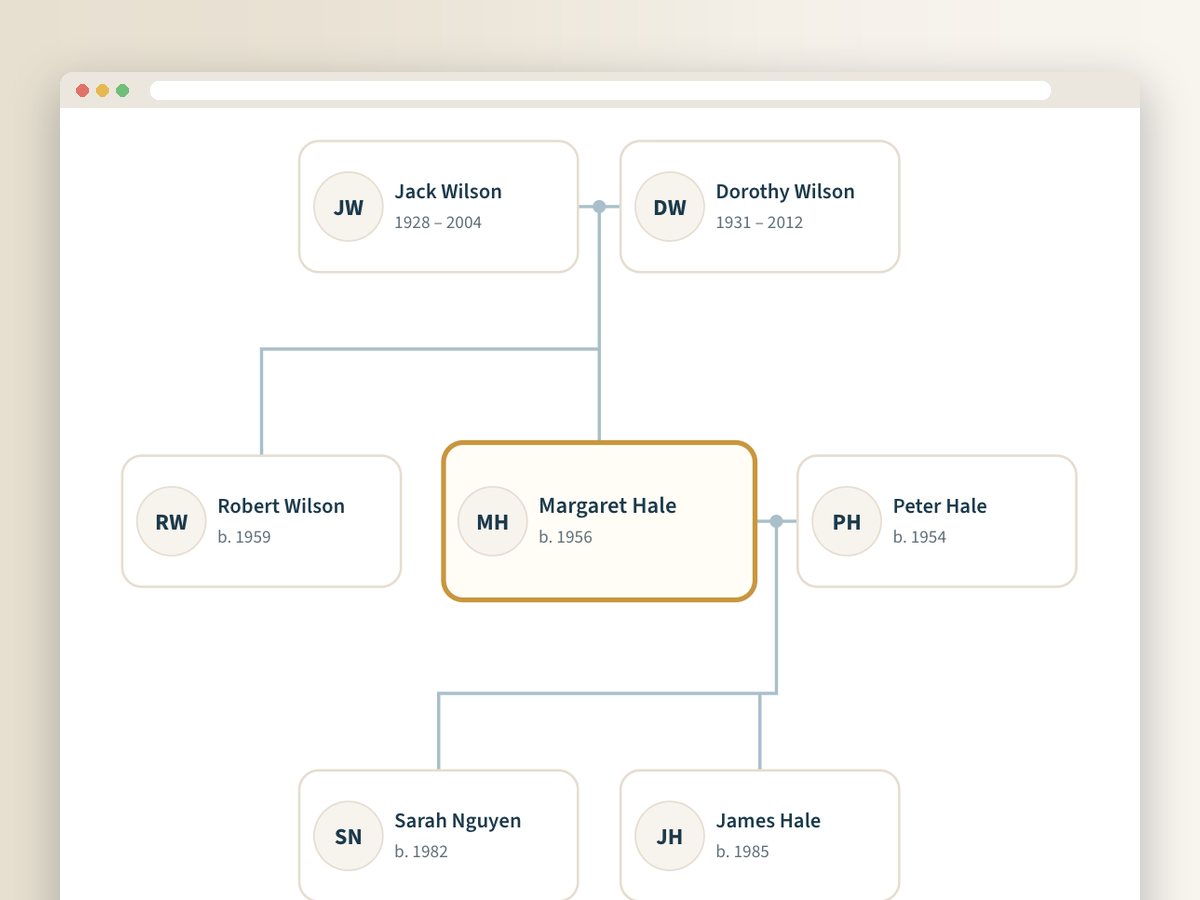
The tree view: Jack and Dorothy Wilson above, Margaret Hale and Peter Hale in the middle, Sarah and James below
Feature 1

The tree, one person at a time

Start with yourself and add parents, partners, siblings and children. Tap anyone to move to them and see their own parents, partners and children — the view stays readable however big the family gets. Second marriages, step and adopted children, single parents and siblings whose parents you haven't added yet all sit where they belong.

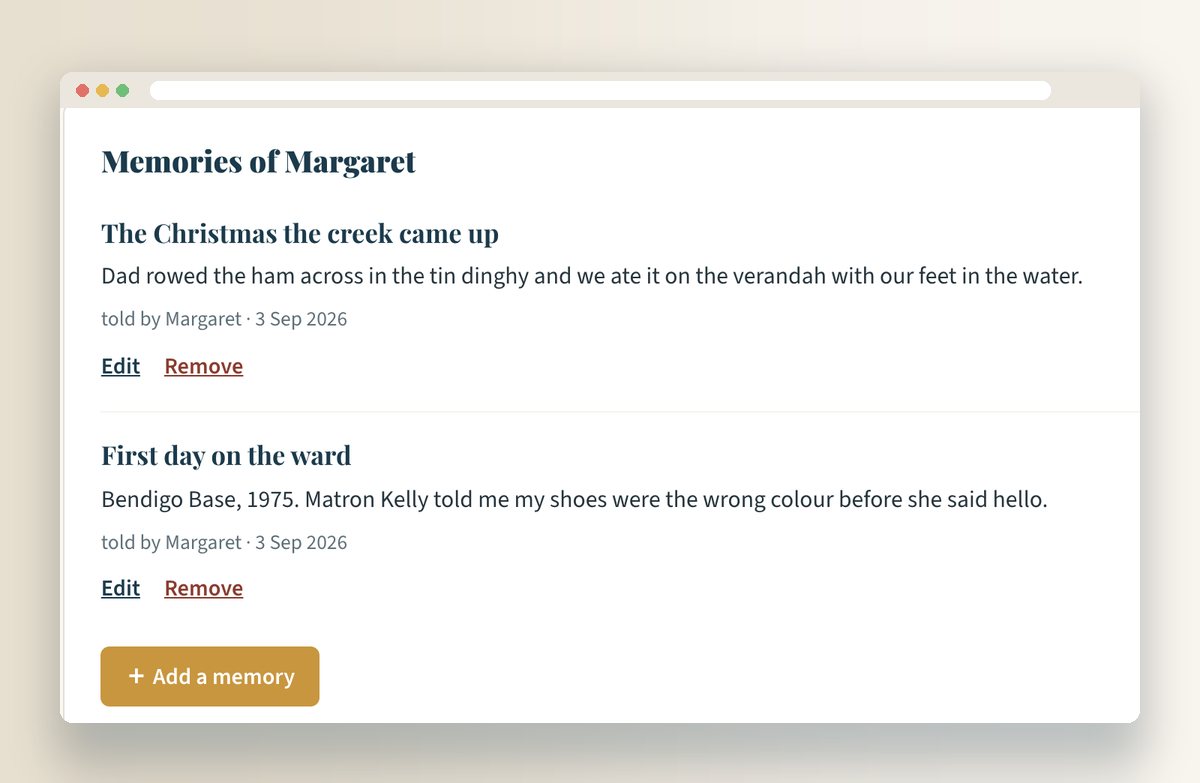
Memories of Margaret: 'The Christmas the creek came up' and 'First day on the ward', with an Add a memory button
Feature 2

Memories, beside the person

Each person carries their own stories — the ones you'd otherwise tell once at a funeral. Gentle prompts help get them started (what did they do on a Sunday, what did their kitchen smell like), and each person can hold as many as you like.

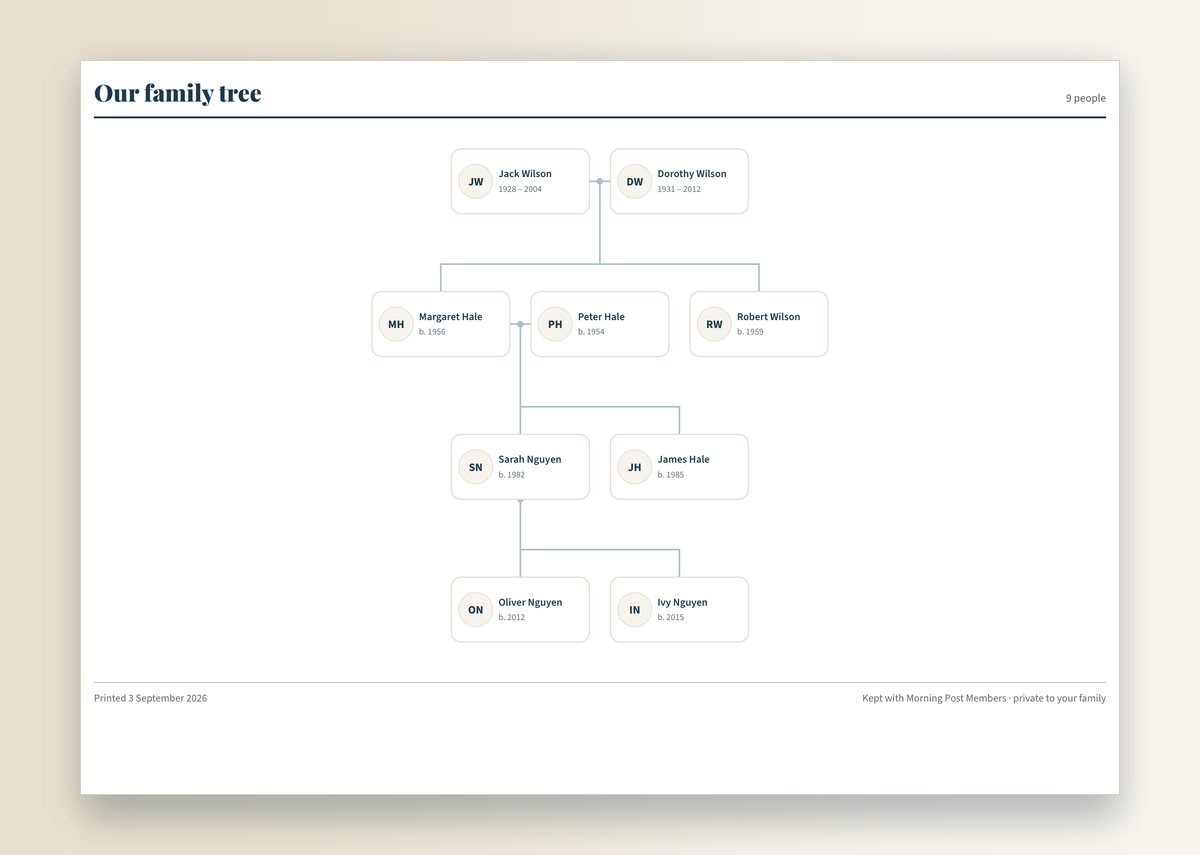
The printed family tree: nine people across four generations on one landscape page
Print and keep

The whole tree on one page

A generational chart that fits itself to a single landscape sheet — parents above, children below, partners side by side — headed with your family and dated. Cmd+P or Ctrl+P and it's on the wall.

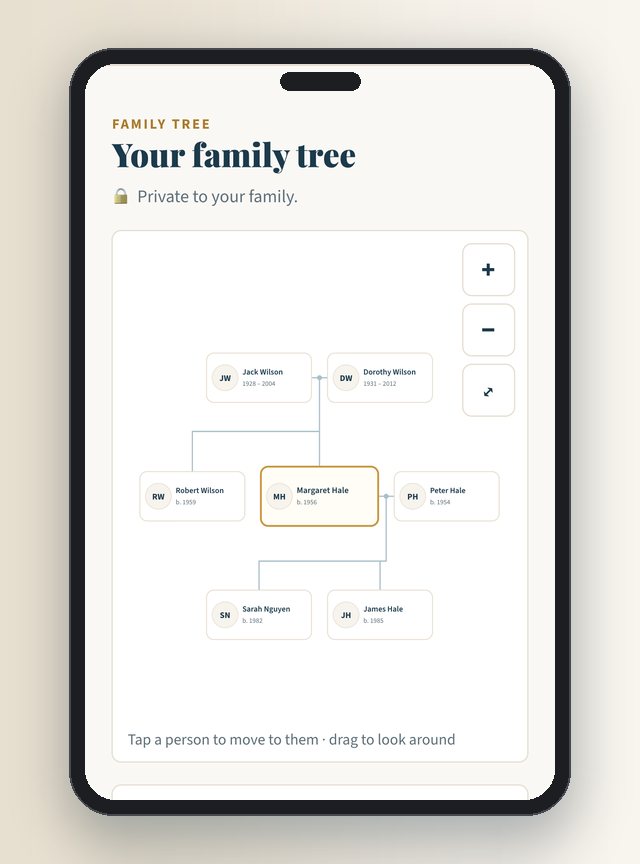
The family tree on a phone
On the phone

Add a grandparent from the couch

It works on the phone as well as the computer — the tree pans and zooms under a finger, and adding a person is a short form.

How it works

Start with yourself. The rest follows.

1

Add the people

Yourself first, then parents, partners, siblings and children. Dates however you know them — '1952', 'about 1920', 'summer 1962' are all fine. Nothing insists on a full date you don't have.

2

Add faces and memories

A portrait for each person, and a memory or two beside them. Gentle prompts help — what did they do on a Sunday, what did their kitchen smell like — so the stories come out, not just the facts.

3

Print, frame, keep

The whole tree on one landscape page for the wall, or 'The Story of' one person — their portrait, dates and memories — as a page worth framing. And the lot as a file, whenever you like.

Why it's different

Built for real families, and for the stories.

Blended families, handled properly

Second marriages, step-parents, adopted and foster children, single parents, siblings whose parents you haven't got to yet — nothing is forced into one-mother-one-father boxes.

Dates in your own words

A date picker that demands day, month and year is how most family trees die on page one. Here 'circa 1920' is a perfectly good answer, and the tree sorts itself out.

Memories, not just names

Each person carries their own stories — the ones you'd otherwise tell once at a funeral. That's the reason we built it.

Yours, not ours

Private by default: no public trees, no hints from strangers' trees, no ads. Export to GEDCOM (the format Ancestry, MyHeritage and Family Echo all open) or a plain backup file, any time.

Print and keep

Made to end up on paper, not trapped in an app.

The commonest complaint about family-tree software is that your years of work are held to a subscription. Everything here can leave with you.

One page, the whole tree

A generational chart that fits itself to a single landscape sheet — parents above, children below, partners side by side. Cmd+P or Ctrl+P and it's done.

The Story of Grace

Any person as an A4 page: portrait, dates, places, and every memory you've written for them. A birthday present, or the page at the front of the album.

A file that opens anywhere

Export the tree as GEDCOM — tested end-to-end into another family-tree program with every person and relationship intact — plus a plain backup you can keep on your own computer.

How to use it

Included with Morning Post membership.

The Family Tree is one of the members' tools — alongside all 18 classes, both workbooks, the four mysteries and the other tools. Family-tree software charges $59 a year or more; membership is $79 a year for all of it — about $550 of value, for the whole household.

Morning Post Members
$79 / year
  • The Family Tree — private to your family
  • All 18 classes (including Trace Your Family Tree)
  • Both workbooks, four mysteries, the other members' tools
  • Covers your household
  • 60-day money-back guarantee
See what membership includes →

Already a member? Go straight to the tool →

Questions

The details.

Is it private?

Yes. Your tree is visible only to whoever holds your members' link — that's you and the person you live with. There are no public trees, we don't match your relatives against other people's trees, and we never share it.

Is this a free family tree maker?

It's included in Morning Post membership — $79 a year for the household, alongside the classes, workbooks, mysteries and the other members' tools — rather than free-with-ads or free-until-you-want-to-print. Everything you build can be exported and kept, so nothing is held to the subscription.

Can my sister in another state help build it?

Your household shares your members' link, so anyone you share that with can work on it. A view-only link for the wider family — cousins, grandchildren — is the most-asked-for next step, and members are voting on it now.

Can I import a tree I've already built elsewhere?

Not yet. You can export from here to GEDCOM and open it anywhere; bringing an existing GEDCOM file in is on the list and members can vote for it.

How many photos can I add?

One portrait per person, cropped to a neat square — enough to put faces to the names on the printed chart. Full photo albums are a possible next step, again by members' vote.

What does 'memories' actually mean?

Short stories attached to a person: how your grandmother took her tea, the job your father did before the war, the thing your uncle always said. Prompts help you get started, and each person can hold as many as you like.
More members' tools

Also included in membership.